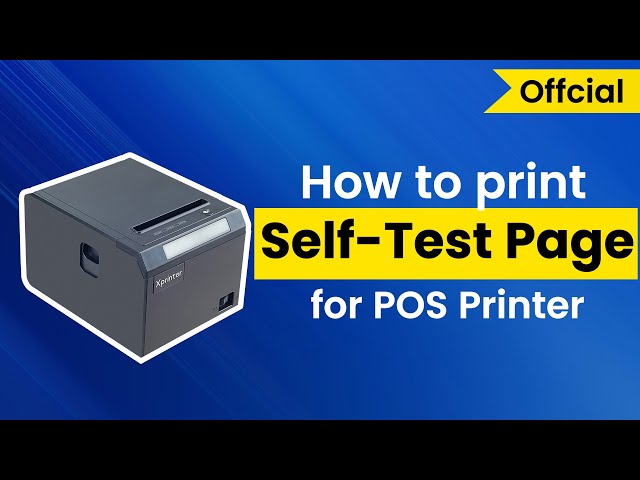
Choosing the correct paper roll is an important part of maintaining reliable receipt printing. Even a well-designed printer can produce poor results if the paper is incompatible, incorrectly sized, or stored in unsuitable conditions. Businesses that print receipts frequently should therefore treat paper selection as part of their overall printer maintenance strategy.
An 80mm Thermal Printer requires thermal paper designed to work with its printing mechanism. While paper width is an obvious consideration, businesses should also check roll dimensions, paper quality, core size, thickness, coating, and storage requirements. Selecting the right combination can help reduce paper jams and maintain consistent print quality.
What Is Thermal Paper?
Thermal paper is specially coated with chemicals that react to heat. When the thermal print head applies heat to specific areas, the coating changes color and creates text, numbers, graphics, or other printed information.
Unlike conventional printer paper, thermal paper does not require ink or toner for direct thermal printing. This makes it particularly convenient for receipt printers used in busy commercial environments.
Check the Paper Width
The first specification to verify is paper width. An 80mm thermal printer is designed for a paper format around 80mm wide, although the exact supported width can vary by model.
Do not assume that every roll described as “80mm” will fit every printer. Check the printer manufacturer’s specifications before purchasing and verify the recommended paper width and tolerances.
Using the correct width helps ensure that the paper feeds properly and that printed content aligns correctly.
Consider the Roll Diameter
Paper width is only one dimension to consider. The overall diameter of the roll also matters because the printer’s paper compartment can accommodate only a certain roll size.
A roll that is too large may not fit inside the compartment or may prevent the cover from closing correctly. Smaller rolls may fit easily but require more frequent replacement.
For high-volume businesses, selecting an appropriate roll diameter can reduce how often employees need to replace paper.
Check the Core Size
The cardboard or plastic tube inside a paper roll is known as the core. Its dimensions can affect whether the roll fits correctly within the printer.
Some printers are designed to accommodate specific core sizes, while others can handle a wider range. Before buying bulk quantities, check the printer’s recommended core dimensions.
Pay Attention to Paper Thickness
Thermal paper thickness can influence how smoothly it moves through the printer. Paper that is excessively thick or thin may not perform as expected in a particular device.
Manufacturers often specify suitable paper characteristics for their printers. Following those recommendations can help reduce feeding problems and unnecessary wear on the printer mechanism.
Choose Appropriate Paper Quality
Not all thermal paper provides the same print performance. Low-quality paper may produce inconsistent darkness, unclear text, or faster fading.
For businesses that regularly provide customers with transaction records, consistent print quality is important. Choosing reputable thermal paper with an appropriate coating can help produce sharper, more reliable receipts.
Understand Thermal Sensitivity
Thermal paper responds to heat, but different paper grades can have different sensitivity characteristics. The print density required by the printer may vary depending on the paper.
If the paper is not well matched to the printer, receipts may appear too light or excessively dark. Follow the printer manufacturer’s paper recommendations and adjust print settings only when necessary.
Consider Receipt Storage Requirements
Thermal receipts can be affected by heat, sunlight, moisture, friction, and certain chemicals. This is particularly important when customers or businesses need to retain receipts for longer periods.
Store unused paper rolls in a cool, dry place away from direct sunlight and excessive heat. Printed receipts should also be stored in suitable conditions when long-term readability is important.
Select the Right Roll Length
Roll length determines how much paper is available before replacement becomes necessary. Longer rolls can be useful in busy environments because employees do not need to replace them as frequently.
However, longer does not always mean better. The roll must still remain within the printer’s maximum supported diameter and fit comfortably inside the paper compartment.
Balance roll length with the printer’s physical limitations and expected transaction volume.
Consider the Printing Environment
The environment in which the printer operates can influence your choice of paper. A standard office or retail counter may have relatively stable conditions, while restaurants, warehouses, and outdoor service areas may expose paper to more heat, moisture, or handling.
Choose paper that is appropriate for the expected environment and store unused rolls properly. If receipts need to remain readable for extended periods, consider a thermal paper grade designed for improved durability.
Avoid Incompatible Paper
Using paper simply because it appears to have the correct width can create unnecessary problems. Incompatible rolls may cause poor printing, paper jams, feeding issues, or premature wear.
Before ordering large quantities, confirm the following specifications:
- Paper width
- Maximum roll diameter
- Core diameter
- Paper thickness
- Thermal coating
- Recommended paper type
- Storage requirements
These details can usually be found in the printer’s technical documentation.
Buy Based on Your Transaction Volume
Businesses with high transaction volumes should consider how frequently paper rolls need to be replaced. A suitable roll length can reduce interruptions during busy periods.
Smaller businesses may prefer smaller rolls if storage space is limited or if receipts are printed less frequently. There is no universal ideal roll size; the right choice depends on the printer and the business’s workflow.
Store Thermal Paper Correctly
Proper storage helps preserve paper quality before it is used. Keep rolls in their original packaging whenever possible and protect them from excessive heat, humidity, direct sunlight, and strong sources of light.
Avoid storing paper near heaters, windows with direct sunlight, or other areas where temperatures fluctuate significantly. Good storage practices can help maintain consistent printing performance.
A Simple Paper Selection Checklist
Before purchasing thermal paper for your printer, verify:
- The roll width matches the printer’s specifications.
- The roll diameter fits inside the paper compartment.
- The core size is compatible.
- The paper thickness is suitable.
- The thermal coating provides clear printing.
- The roll length matches your transaction volume.
- The paper can be stored under appropriate conditions.
- The paper is suitable for the expected retention period.
Checking these points before purchasing can prevent compatibility problems and unnecessary waste.
Conclusion
Choosing the right paper roll is essential for getting reliable results from an 80mm thermal printer. Width is an important starting point, but roll diameter, core size, thickness, coating, quality, and storage conditions also deserve attention.
Businesses should follow the printer manufacturer’s specifications and select paper according to their transaction volume and operating environment. With compatible, good-quality thermal paper and proper storage, businesses can maintain clear receipts, reduce paper-related problems, and support consistent printer performance.