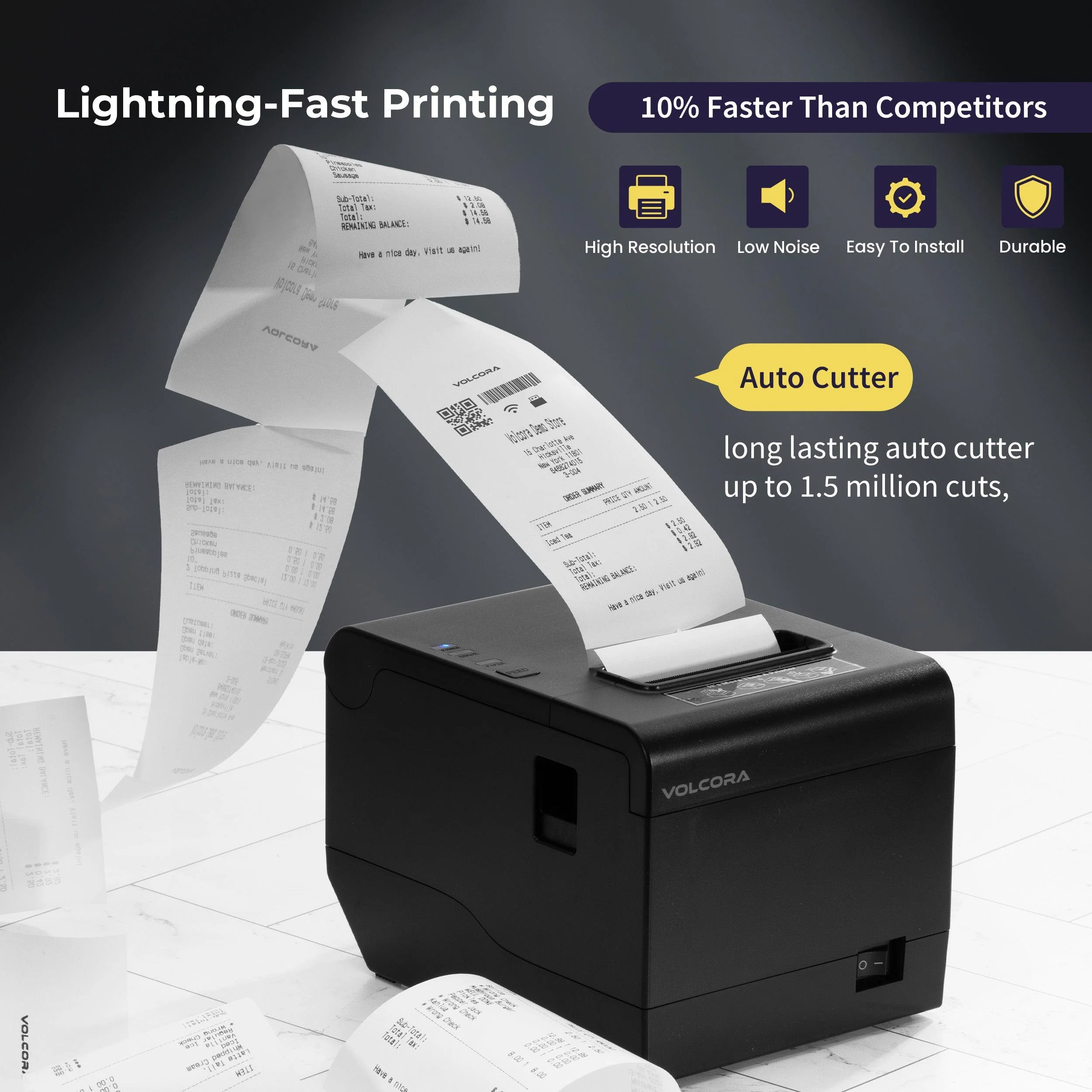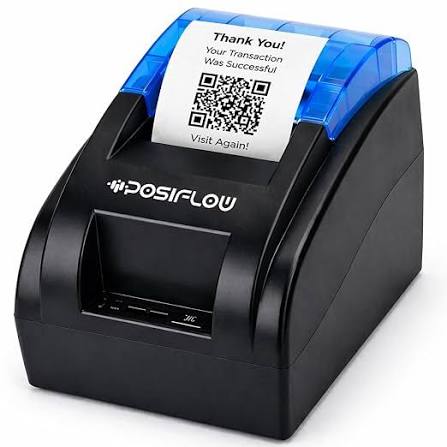
Selecting suitable printing equipment is an important decision for businesses that process customer transactions regularly. Retail stores, restaurants, supermarkets, pharmacies, and service providers all require reliable systems to generate receipts and maintain accurate sales records. The right printing solution can improve checkout efficiency, simplify daily operations, and reduce unnecessary maintenance expenses.
A Thermal Receipt Printer is a popular option for businesses because it uses heat-sensitive paper to produce printed information without requiring conventional ink cartridges or toner. However, different models offer varying printing speeds, resolutions, connectivity options, and paper capacities. Understanding these differences helps business owners select equipment that matches their operational requirements rather than simply choosing the cheapest available option.
1. Understand Your Business Printing Requirements
Before comparing printer specifications, identify how the equipment will be used in your business. Different industries have different transaction volumes, receipt formats, and installation requirements.
For example, a small retail shop may only need a basic printer for occasional customer receipts. A busy supermarket, on the other hand, requires equipment capable of handling continuous printing throughout the day.
Consider the following questions:
- How many receipts does your business print daily?
- Will the printer operate continuously during business hours?
- Do receipts contain basic transaction details or extensive product information?
- Will the device connect to a fixed POS terminal or mobile equipment?
- Does your business require automatic receipt cutting?
- Will the printer be used at one workstation or across multiple locations?
Answering these questions creates a practical foundation for comparing different models.
2. Choose the Appropriate Printing Technology
Thermal printing generally includes two main technologies: direct thermal and thermal transfer. Understanding their differences is important when selecting equipment.
Direct Thermal Printing
Direct thermal printers use a heated printhead to activate a chemical coating on specially manufactured paper. The affected areas darken to create text, numbers, and graphics.
This technology is widely used for everyday receipts because it does not require ink ribbons or toner.
Its main advantages include:
- Simple printing operation.
- Relatively low maintenance requirements.
- Fast receipt production.
- Fewer consumable components.
- Convenient integration with POS systems.
One limitation is that printed information can fade when exposed to excessive heat, sunlight, friction, or unsuitable storage conditions.
Thermal Transfer Printing
Thermal transfer printers use heat to transfer ink from a ribbon onto a printing surface. They are commonly used for labels, tags, and applications requiring more durable printed information.
Although this technology is useful for certain business operations, direct thermal printing is generally more common for standard retail receipts.
For businesses primarily producing customer bills and transaction slips, direct thermal technology is usually the more appropriate starting point.
3. Evaluate Printing Speed
Printing speed directly affects checkout efficiency, particularly in businesses with high customer traffic.
It is generally measured in millimeters per second (mm/s). A printer with a higher rated speed can produce receipts more quickly, helping employees process transactions without unnecessary delays.
However, actual printing performance may vary depending on receipt length, printing resolution, connection type, and data-processing requirements.
Consider these general requirements:
- Small shops: Moderate printing speed may be sufficient for occasional transactions.
- Restaurants: Faster printing can help manage customer bills and kitchen orders.
- Supermarkets: High-speed equipment can support busy checkout counters.
- Retail chains: Consistent performance across multiple checkout stations is important.
Choose a model that supports your expected workload without paying for performance that your business does not need.
4. Consider Print Resolution and Quality
Receipt readability is essential for transaction verification, returns, accounting, and customer service.
Print resolution determines how clearly the printer reproduces text, symbols, barcodes, and graphics. It is commonly specified through dot density or dots per inch (DPI), depending on the manufacturer’s documentation.
When evaluating print quality, examine:
- Sharpness of small characters.
- Consistency of printed text.
- Barcode and QR code clarity.
- Logo and graphic reproduction.
- Readability of detailed transaction information.
Businesses that print barcode-based receipts should pay particular attention to resolution and code dimensions. Clear output improves the likelihood of successful scanning.
5. Select the Correct Paper Width
Paper width influences how much information can appear on each receipt.
Two common thermal receipt paper widths are 58 mm and 80 mm.
58 mm Thermal Printers
These printers are generally suitable for compact receipts containing basic transaction information. They are commonly used in small shops, kiosks, mobile payment environments, and businesses with limited counter space.
80 mm Thermal Printers
Wider printers provide additional space for product descriptions, itemized purchases, promotional messages, and business information.
They are frequently used in supermarkets, restaurants, and retail stores that produce more detailed receipts.
Before purchasing, check the supported paper width, maximum roll diameter, and paper thickness. Using incompatible paper can cause feeding problems and affect printing performance.
6. Check Available Connectivity Options
Connectivity determines how easily the printer communicates with your POS system, computer, tablet, or mobile device.
Different models support different connection methods.
USB Connectivity
USB is a common option for businesses using fixed POS terminals. It provides a straightforward wired connection and is generally easy to configure.
Ethernet Connectivity
Ethernet allows printers to connect to a local network. It can be useful for larger businesses with multiple workstations and network-based POS arrangements.
Bluetooth Connectivity
Bluetooth supports wireless connections with compatible smartphones, tablets, and mobile POS devices. It is particularly useful for food trucks, delivery services, and temporary checkout stations.
Wi-Fi Connectivity
Wi-Fi enables compatible printers to communicate through wireless networks. It can provide installation flexibility where running cables is inconvenient.
Choose connectivity based on your existing equipment and the way employees will use the printer.
7. Look for an Automatic Paper Cutter
An automatic cutter separates printed receipts from the remaining paper roll. This feature can improve convenience in businesses where employees handle frequent transactions.
There are two common cutting methods:
- Full cut: Completely separates the printed receipt from the paper roll.
- Partial cut: Leaves a small section connecting the receipt to the remaining paper.
Automatic cutting reduces the need for employees to tear receipts manually and can help maintain a consistent checkout process.
When comparing models, check the cutter’s expected service life, cutting performance, and maintenance requirements.
8. Examine Printer Durability and Build Quality
A receipt printer used occasionally has different durability requirements from one operating continuously in a busy retail environment.
Printhead quality, internal components, housing materials, and paper-feeding mechanisms all influence long-term reliability.
Businesses should review the manufacturer’s specifications for:
- Expected printhead life.
- Automatic cutter durability.
- Recommended daily printing volume.
- Operating temperature range.
- Mechanical component quality.
- Warranty coverage.
For high-volume environments, selecting a model designed for frequent operation can help reduce equipment interruptions.
9. Confirm POS Software Compatibility
A printer must work properly with the software and hardware already used by your business.
Compatibility problems can create installation difficulties, printing errors, and additional technical expenses.
Before making a purchase, verify the following:
- Supported operating systems.
- Availability of compatible drivers.
- POS software integration.
- Supported printing command languages.
- Compatibility with existing computers and payment terminals.
Some receipt printers support ESC/POS commands, which are commonly used in compatible POS applications.
It is advisable to test the printer with your existing system before deploying it across multiple checkout locations.
10. Consider Printer Size and Installation Requirements
Available workspace can influence which printer design is most suitable.
Small retail counters often contain barcode scanners, cash drawers, monitors, and payment terminals. A compact printer can help maintain an organized workstation.
For mobile operations, lightweight equipment may be easier to transport and reposition.
Also consider the printer’s paper-loading direction, cable placement, ventilation requirements, and access to maintenance components.
A suitable installation arrangement makes daily operation more convenient and reduces the risk of accidental damage.
11. Evaluate Maintenance and Cleaning Requirements
Regular maintenance helps maintain printing quality and prevents avoidable equipment problems.
Although direct thermal printers generally require fewer consumables than traditional printers, their components still need periodic care.
Important maintenance tasks include:
- Cleaning the printhead using an approved method.
- Removing paper dust from the printer compartment.
- Checking the platen roller for dirt or damage.
- Inspecting the paper cutter.
- Replacing worn components when necessary.
- Keeping the printer away from excessive heat and moisture.
A model with easy access to internal components can simplify these procedures.
Businesses should also consider whether replacement parts and technical support are readily available.
12. Compare Total Cost of Ownership
The purchase price is only one part of the investment. Businesses should evaluate the expected operating expenses over the printer’s working life.
These may include:
- Initial equipment cost.
- Thermal paper expenses.
- Electricity consumption.
- Replacement printheads or cutters.
- Routine maintenance.
- Repair and servicing costs.
- Software installation and integration.
A low-cost printer may become expensive if it requires frequent repairs or cannot handle the expected printing workload.
Comparing total ownership costs provides a more realistic understanding of long-term value.
13. Review Warranty and After-Sales Support
Reliable after-sales support is important, especially for businesses that depend on receipt printing throughout the day.
Before selecting a model, review the manufacturer’s warranty conditions and technical assistance arrangements.
Pay attention to:
- Warranty duration.
- Coverage for printheads and mechanical components.
- Availability of replacement parts.
- Repair and servicing options.
- Technical documentation.
- Customer support response procedures.
For businesses purchasing several printers, dependable after-sales service can help maintain consistent operations across different locations.
Choosing a Thermal Receipt Printer for Different Industries
The ideal printer depends on the working environment and the type of transactions a business handles.
Retail Stores
Retail businesses should prioritize fast printing, clear text, barcode support, and compatibility with POS software. An automatic cutter can also improve checkout convenience.
Restaurants and Cafes
Restaurants may require printers that support kitchen order printing, network connectivity, and frequent receipt production. Printing speed and reliable paper feeding are particularly important during busy service hours.
Supermarkets
Supermarkets generally need high-performance printers that can handle continuous printing. Durable printheads, automatic cutters, and consistent output quality are important considerations.
Small Shops and Kiosks
Smaller businesses may prefer affordable, compact printers with straightforward USB or Bluetooth connectivity. Moderate printing speed may be sufficient depending on transaction volume.
Mobile Businesses
Food trucks, outdoor sellers, and delivery services may benefit from lightweight printers with wireless connectivity and battery-powered operation.
Healthcare and Service Centers
Clinics, pharmacies, and service centers may prioritize quiet operation, readable receipts, and reliable software integration.
Common Mistakes to Avoid When Buying a Thermal Receipt Printer
Even when buyers understand the technical specifications, certain mistakes can lead to unnecessary expenses or operational difficulties.
Choosing only by price: A cheaper printer may not offer the durability or performance required for regular use.
Ignoring printing volume: Equipment designed for occasional printing may struggle in busy commercial environments.
Overlooking connectivity: A printer without the appropriate interface may not work with existing POS hardware.
Selecting the wrong paper width: Incompatible paper rolls can cause feeding problems and limit receipt formatting options.
Neglecting software compatibility: Missing drivers or unsupported printing commands can complicate installation.
Ignoring maintenance requirements: Limited access to replacement parts or technical support may increase long-term operating costs.
Avoiding these mistakes helps businesses make more informed purchasing decisions.
Practical Checklist Before Purchasing
Use the following checklist to compare potential models before making a final decision.
- Matches the expected daily printing volume.
- Provides sufficient printing speed.
- Produces clear text and scannable barcodes.
- Supports the required thermal paper width.
- Offers compatible USB, Ethernet, Bluetooth, or Wi-Fi connectivity.
- Works with existing POS software.
- Includes an automatic cutter if needed.
- Fits the available installation space.
- Has manageable maintenance requirements.
- Includes suitable warranty and technical support.
Reviewing these points can help narrow down the available options and prevent compatibility issues after installation.
Conclusion
Choosing the right thermal receipt printer requires a clear understanding of business requirements, printing volume, technical specifications, and long-term operating costs. Factors such as printing speed, resolution, paper width, connectivity, durability, and POS compatibility all influence how effectively a printer performs in daily operations.
Rather than selecting equipment based solely on price or advertised features, businesses should compare models according to their actual needs. A properly selected printer can support faster transactions, simplify employee workflows, and provide consistent receipt production. Careful evaluation before purchasing helps ensure that the equipment remains a practical and reliable part of the business’s POS infrastructure.