Laptops are valuable electronic devices that require proper care during everyday use and transportation. Whether carried to an office, university, business meeting, or travel destination, they are regularly exposed to potential damage from surrounding objects, dust, and accidental bumps. Even minor scratches and repeated physical contact can affect a laptop’s exterior appearance over time.
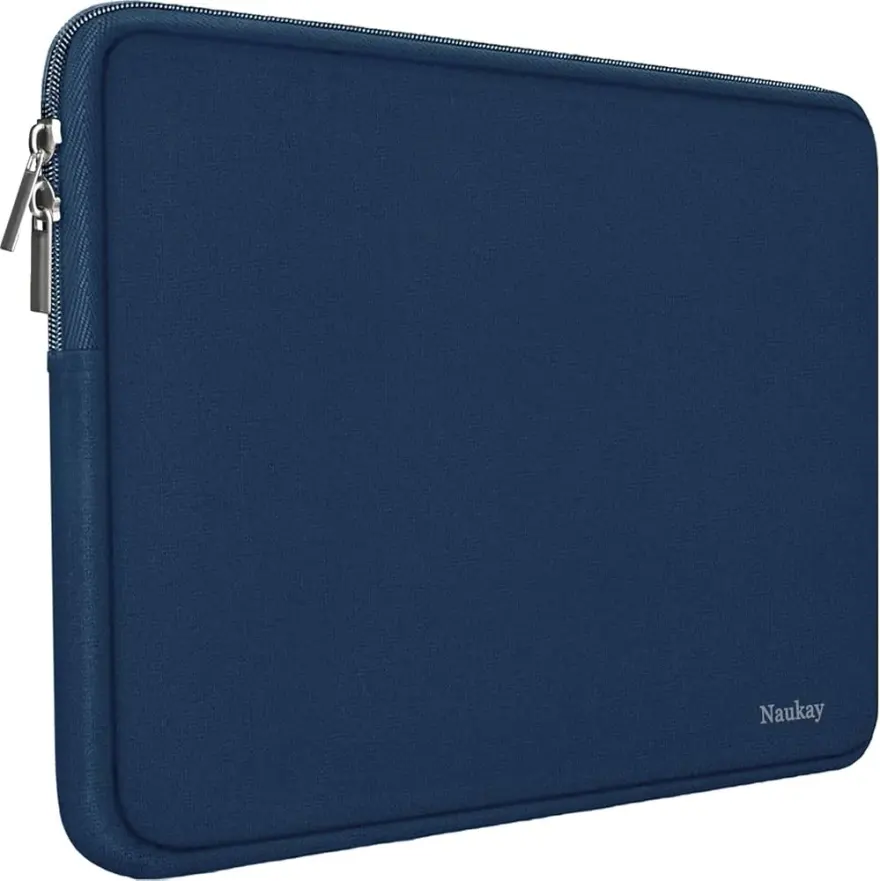
Choosing an appropriate protective case can help reduce these risks. Neoprene is a popular material for laptop sleeves because of its soft texture, flexible structure, and cushioning properties. A properly designed Neoprene Laptop Bag creates a protective layer around the device, helping minimize scratches, limit dust exposure, and reduce the effects of minor impacts during regular transportation.
What Is Neoprene and Why Is It Used for Laptop Protection?
Neoprene is a synthetic rubber material known for its flexibility, elasticity, and resistance to environmental conditions. It is widely used in different products, including sports equipment, protective covers, insulation materials, and electronic accessories.
Its structure makes it particularly useful for laptop sleeves. Unlike rigid materials, neoprene can stretch slightly and fit closely around a device while providing soft cushioning.
Several material characteristics contribute to its protective performance:
- Flexibility: Allows the material to accommodate different laptop shapes and sizes.
- Soft texture: Helps reduce direct friction against the laptop’s exterior.
- Cushioning: Provides a layer that can absorb some minor impacts.
- Moisture resistance: Helps resist light splashes and accidental exposure to small amounts of water.
- Lightweight construction: Makes transportation convenient without adding significant bulk.
These properties make neoprene a practical choice for everyday laptop protection.
1. How Neoprene Protects Laptops from Scratches
Scratches are among the most common forms of cosmetic damage experienced by laptops. They can occur when a device comes into contact with keys, pens, chargers, cables, or other accessories inside a backpack.
Neoprene helps reduce this problem by creating a soft barrier between the laptop and surrounding objects.
Soft Interior Surface
Many neoprene laptop sleeves feature a smooth interior that reduces friction against the laptop’s outer casing. This helps prevent small particles and hard objects from directly rubbing against the device.
The soft surface is particularly useful when laptops are placed inside larger carrying bags with other everyday belongings.
Close-Fitting Construction
Neoprene’s flexibility allows manufacturers to create sleeves that fit closely around different laptop dimensions. A properly fitted sleeve helps limit unnecessary movement during transportation.
Reducing excessive movement also lowers the possibility of repeated contact between the laptop and other objects.
Protection During Storage
Scratches can also occur when laptops are placed on desks, shelves, or inside storage cabinets. A neoprene sleeve provides an additional protective layer when the device is not being used.
However, users should remove dirt and sharp particles from the sleeve periodically because trapped debris can create scratches through friction.
2. How Neoprene Helps Reduce Dust Exposure
Dust is another concern for laptop owners, especially those who frequently transport or store their devices in different environments.
Small particles can collect around laptop surfaces, keyboard areas, ports, and ventilation openings. Although a laptop bag cannot eliminate all dust exposure, it can help reduce direct contact with environmental particles.
Protective Coverage
A neoprene sleeve surrounds most of the laptop’s exterior, creating a barrier against loose dust and everyday debris.
This coverage is useful when carrying devices in backpacks, briefcases, or travel luggage where dust and small particles may accumulate.
Secure Closures
Some neoprene laptop bags include zipper systems or other closing mechanisms that help keep the device enclosed.
A secure closure reduces the amount of dust that can enter the carrying case through its opening. However, the level of protection depends on the design and construction.
Cleaner Storage Conditions
Keeping a laptop inside a clean sleeve when it is not being used can help reduce the accumulation of surface dust.
For better results, users should clean both the laptop sleeve and the surrounding storage area regularly.
3. How Neoprene Absorbs Minor Impacts
Laptops can experience accidental bumps during daily transportation. A device may knock against the side of a backpack, come into contact with furniture, or experience minor impacts when a bag is placed on a surface.
Neoprene provides cushioning that helps reduce the force transferred to the laptop.
Soft and Compressible Structure
Neoprene has a slightly spongy structure that can compress when pressure is applied. This characteristic helps distribute some impact energy across the material rather than allowing all of it to reach the laptop’s exterior.
The effectiveness of this cushioning depends on material thickness and the overall construction of the bag.
Protection Against Everyday Bumps
A properly fitted neoprene sleeve can help protect a laptop from minor knocks that occur during ordinary handling.
For example, when a person places a laptop inside a backpack, the sleeve provides an additional layer between the device and surrounding belongings.
Reinforced Padding
Some laptop bags include extra padding around corners and edges. These areas are important because laptop corners may experience direct contact during accidental bumps.
Additional padding can improve everyday protection, particularly for people who frequently carry their devices.
It is important to understand that neoprene sleeves are not designed to guarantee protection against severe drops, crushing pressure, or heavy impacts.
4. Neoprene’s Moisture Resistance Provides Additional Protection
Although scratch and impact protection are major considerations, moisture exposure can also create problems for electronic devices.
Neoprene naturally resists some water penetration, making it useful for reducing exposure to light splashes and accidental spills.
This feature can be helpful when transporting laptops between offices, homes, and other locations where unexpected moisture may occur.
However, water resistance varies depending on the bag’s construction. Seams, zippers, and openings may allow water to enter, so users should not assume that every neoprene sleeve is waterproof.
During heavy rain or wet outdoor conditions, additional waterproof protection is advisable.
5. The Importance of Neoprene Thickness in Laptop Protection
Material thickness plays an important role in determining how much cushioning a laptop sleeve provides.
Different neoprene products are manufactured with different thickness levels to meet varying protection and portability requirements.
| Neoprene Thickness | General Characteristics | Suitable Application |
|---|---|---|
| Thin construction | Lightweight and flexible | Basic scratch protection |
| Medium construction | Balanced flexibility and cushioning | Everyday transportation |
| Thick construction | More substantial cushioning | Additional protection against minor bumps |
The appropriate thickness depends on how frequently the laptop is transported and the level of protection required.
A thicker sleeve may provide additional cushioning, but it can also increase the overall size and weight of the bag.
6. How Proper Fit Improves Laptop Safety
The protective performance of neoprene also depends on how well the sleeve fits the device.
An oversized sleeve may allow the laptop to move around, increasing the possibility of friction and contact with surrounding objects. A sleeve that is too tight may make inserting and removing the laptop difficult.
Before selecting a laptop bag, users should consider:
- The actual width and height of the laptop.
- The thickness of the device.
- The internal dimensions of the sleeve.
- The position and quality of the zipper.
- Whether additional space is required for accessories.
A properly fitted design helps maintain consistent coverage and makes everyday use more convenient.
7. Neoprene Laptop Bags Compared with Other Protective Materials
Different materials provide different levels of laptop protection. Understanding their characteristics can help buyers select an appropriate carrying solution.
| Material | Main Protective Characteristics | Common Considerations |
|---|---|---|
| Neoprene | Soft cushioning, flexibility, and scratch protection | Limited protection against severe impacts |
| Nylon | Lightweight fabric with varying padding options | Protection depends on construction |
| Polyester | Versatile fabric used in different laptop bags | Quality and cushioning vary |
| Leather | Structured exterior and surface protection | May require additional internal padding |
| EVA | Lightweight, semi-rigid cushioning | Generally less flexible than neoprene |
Neoprene is particularly useful when flexibility and lightweight cushioning are priorities. Other materials may be more suitable when users require rigid protection or larger storage compartments.
8. Everyday Situations Where Neoprene Protection Is Useful
Neoprene laptop sleeves can support different activities by helping reduce everyday physical exposure.
Office Commuting
Employees frequently carry laptops between their homes, offices, and meeting locations. A neoprene sleeve helps protect the device from scratches and minor bumps during transportation.
Educational Activities
Students often place laptops inside backpacks alongside books, stationery, and other supplies. A protective sleeve creates a barrier that reduces direct contact with these items.
Business Travel
During travel, electronic devices may move around inside luggage. A close-fitting neoprene sleeve provides additional cushioning and helps separate the laptop from other belongings.
Home Storage
When a laptop is not being used, storing it inside a clean sleeve can help reduce dust accumulation and accidental surface scratches.
9. Tips for Maintaining the Protective Performance of Neoprene
Even a well-made laptop sleeve requires proper care to remain effective over time.
Consider these simple maintenance practices:
- Clean the interior regularly: Remove dust, dirt, and small particles that could scratch the laptop.
- Inspect the seams: Check for loose stitching or damaged edges.
- Maintain the zipper: Keep the closure free from dirt and debris.
- Avoid excessive stretching: Do not force oversized laptops or accessories into the sleeve.
- Dry thoroughly: Allow the material to air-dry after cleaning or moisture exposure.
- Store properly: Keep the sleeve in a clean, dry location when not in use.
Regular maintenance helps preserve the flexibility, cushioning, and overall condition of the material.
Conclusion
Neoprene offers several useful characteristics that make it suitable for protecting laptops during everyday transportation and storage. Its soft surface helps reduce scratches, its flexible construction provides close-fitting coverage, and its compressible structure offers cushioning against minor impacts. The material also helps limit dust exposure and resists some moisture.
Although it cannot replace heavy-duty protective equipment, a properly designed neoprene laptop sleeve provides a practical solution for students, office professionals, and frequent travelers. Selecting the correct size, suitable material thickness, and reliable construction can help users maintain their devices and reduce everyday wear and tear.