Setting up a point-of-sale system involves more than installing a terminal and connecting a few peripherals. Businesses need to consider their workflow, available space, software requirements, network infrastructure, and future operational needs before putting a new POS environment into regular use.
A ComPOSxb POS system can be evaluated as part of this setup process, with attention given to how the hardware and related components fit the business environment. Proper planning can make installation smoother and reduce potential issues after deployment.
Define Your POS Requirements
Start by identifying what the business expects the POS system to accomplish. Requirements can vary considerably between a small retailer, restaurant, hospitality operation, and high-volume commercial environment.
Consider the number of checkout stations, expected transaction volume, types of transactions, required peripherals, and number of employees who will use the system. These details can guide the hardware configuration.
Check Software Compatibility
POS hardware needs to work with the software used to process transactions and manage business operations. Compatibility should be confirmed before installation rather than assumed.
Review supported operating systems, POS applications, drivers, and peripheral requirements. If the business is replacing an existing system, determine whether the new equipment can work with the current software and infrastructure.
Select the Right Peripherals
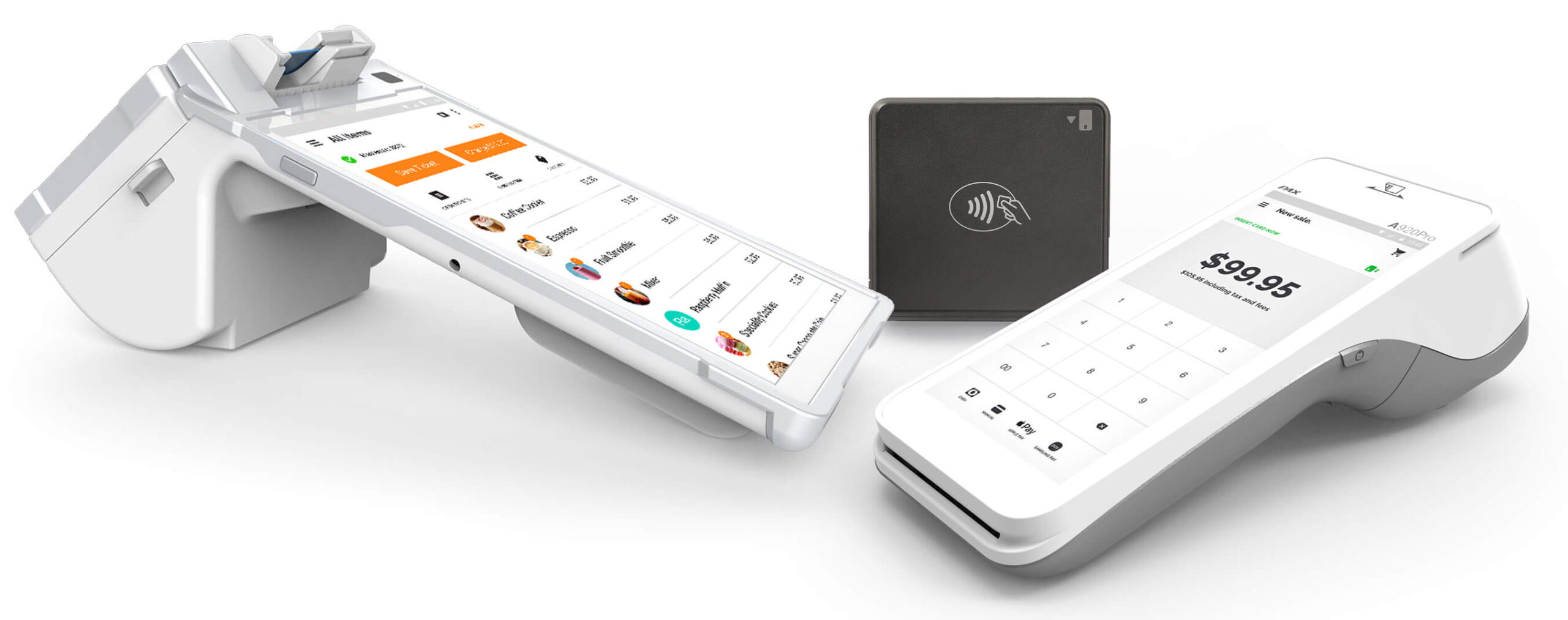
The main POS terminal is only one part of a complete checkout setup. Depending on the business, additional devices may be required.
Common peripherals include:
- Barcode scanners
- Receipt printers
- Cash drawers
- Customer-facing displays
- Payment devices
- Label printers
Choose only the equipment that supports the actual workflow. Unnecessary peripherals can increase costs and create additional points of maintenance.
Plan the Physical Layout
The location of each component can affect both employee efficiency and customer interaction. Terminals, scanners, printers, and other equipment should be positioned where they are easy to access without obstructing the workspace.
Before installation, measure the available counter or service area and consider cable routing, power outlets, mounting options, and accessibility.
Review Network and Connectivity Needs
Many POS environments depend on stable network connections. Depending on the equipment and business setup, connections may use Ethernet, Wi-Fi, Bluetooth, USB, or other interfaces.
Determine which connection types are required and ensure the network can support the expected POS traffic. Wired connections may be preferable for certain fixed devices, while wireless connectivity can provide greater flexibility in some environments.
Consider Security
POS systems can process sensitive business and transaction information, making security an important part of the setup process. Access to terminals and connected equipment should be controlled appropriately.
Businesses should also follow the security requirements of their POS software and payment providers. Strong account controls, secure networks, software updates, and appropriate access permissions can contribute to a safer environment.
Test Before Going Live
Testing the complete system before opening it to customers can reveal problems that are difficult to identify during individual hardware checks.
Test transactions, receipt printing, barcode scanning, cash drawer operation, network connectivity, and other relevant workflows. If multiple terminals are being installed, test communication and performance across the full configuration.
Prepare Employees for the New System
Even an intuitive POS system requires users to understand the basic workflow. Employees should know how to operate the terminal and connected peripherals correctly.
Training can cover common transaction procedures, receipt handling, troubleshooting steps, and appropriate escalation when technical problems occur. Clear instructions can help reduce errors during busy periods.
Plan for Maintenance
POS equipment should be maintained throughout its operating life. Businesses should establish procedures for cleaning devices, checking connections, updating software where appropriate, and reporting hardware problems.
It is also useful to understand warranty coverage and replacement procedures before an issue occurs. Having a maintenance plan can help minimize unexpected interruptions.
Allow Room for Future Growth
A POS setup should address current requirements without making future expansion unnecessarily difficult. Businesses may eventually need additional terminals, scanners, printers, or locations.
Consider whether the selected configuration can accommodate additional equipment. Planning for growth from the beginning can reduce the need for major changes later.
Review the Overall Cost
The total investment includes more than the price of the hardware. Installation, accessories, networking, maintenance, replacements, and employee training may also contribute to the overall cost.
Evaluate these expenses alongside expected equipment lifespan and operational benefits. A complete cost assessment can help businesses make a more practical purchasing decision.
Final Thoughts
Setting up a ComPOSxb POS system requires careful attention to hardware, software, connectivity, security, workspace design, and user requirements. Proper preparation can help businesses avoid compatibility problems and unnecessary disruptions.
By testing the complete setup, training employees, planning for maintenance, and considering future expansion, businesses can create a POS environment that supports efficient daily operations and remains adaptable as their needs change.