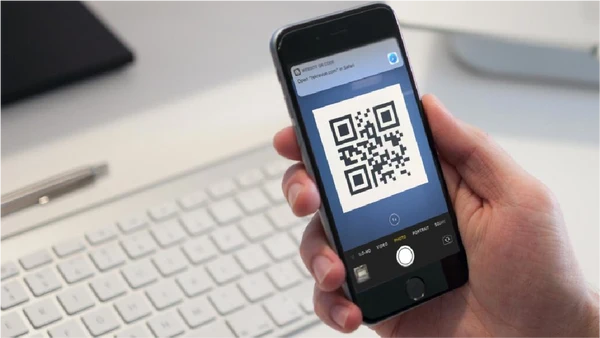
QR codes are a familiar part of everyday life, appearing on product packaging, restaurant menus, event tickets, advertisements, and printed documents. They provide a convenient way to connect physical materials with digital information.
A QR code reader is designed to recognize the pattern within a QR code and decode the information stored inside it. Depending on the code, the reader may display a website address, text, contact details, or other digital information.
What Is a QR Code Reader?
A QR code reader is a tool that interprets the visual pattern of a QR code. It can use a camera, an uploaded image, or another supported input to identify the code and extract its data.
QR readers are available in different forms. Smartphone cameras may include built-in QR recognition, while browser-based tools can be useful for reading QR codes from saved images.
How Does a QR Code Reader Work?
Although the process happens quickly, several steps take place when a QR code is read.
First, the reader captures or receives an image containing the QR code. It then identifies the distinctive positioning patterns that help determine the code’s orientation and structure.
Next, the software analyzes the smaller modules that make up the code and converts them into the encoded data. QR codes also include error-correction features that can help recover information when part of the pattern is damaged or obscured.
Finally, the decoded information is displayed in a usable format.
What Can a QR Code Reader Read?
QR codes can store different types of information. The exact content depends on how the code was created.
Website URLs
One of the most common uses is linking to a website. A reader can decode the web address and present it to the user for review before it is opened.
Plain Text
QR codes can contain ordinary text, making them useful for short messages, instructions, reference information, or other written content.
Contact Information
Some QR codes can store contact details such as names, phone numbers, email addresses, or other information that can be used to create a digital contact.
Wi-Fi Information
QR codes can also be created to contain Wi-Fi network details. A compatible device may recognize the information and make connecting to the network more convenient.
Other Structured Data
Depending on the format used to create the code, QR codes can contain information related to events, products, payments, applications, and other digital services.
How to Use a QR Code Reader
The steps depend on the type of reader you are using. With an online reader, the process commonly involves an image upload.
- Open the QR scanning tool in a compatible browser.
- Select the option to upload or provide a QR code image.
- Choose the image containing the code.
- Allow the reader to analyze the image.
- Review the decoded result.
- Use the information if it is relevant and appears trustworthy.
A clear image usually makes the process faster and more reliable.
Factors That Affect Reading Accuracy
QR codes are designed to remain readable under various conditions, but image quality can still affect scanning performance.
Blurry images, extreme distortion, insufficient contrast, heavy compression, and missing sections can make a code harder to recognize. For best results, use a clear image with the entire QR pattern visible.
If a reader cannot decode a particular image, try using a higher-resolution version or capturing the code again.
QR Code Reader Safety
A reader can decode the contents of a QR code, but it cannot guarantee that those contents are safe. For example, a QR code may lead to a phishing website or an unexpected download.
Always review unfamiliar results before opening links or providing personal information. Check the web address carefully and consider whether it matches the source of the QR code.
Safe Reading Practices
- Check unfamiliar URLs before visiting them.
- Be cautious with QR codes from unknown sources.
- Avoid entering sensitive information on suspicious pages.
- Do not download unexpected files.
- Keep your browser and device software updated.
Online QR Reader vs. Mobile Scanner
A mobile camera is often convenient when scanning a physical QR code. It can recognize the code directly while you point the camera at it.
An online reader can be more useful when the QR code is already stored as an image on a computer or another device. The better option depends on whether you are working with a physical code or a digital file.
Final Thoughts
QR code readers turn a visual pattern into information that people can understand and use. From website addresses and text to contact and Wi-Fi details, the technology supports a wide range of everyday applications.
Choosing the right reading method depends on your situation. Whether you use a phone camera or an online tool, clear images and careful review of decoded links can help make QR code scanning both convenient and safer.